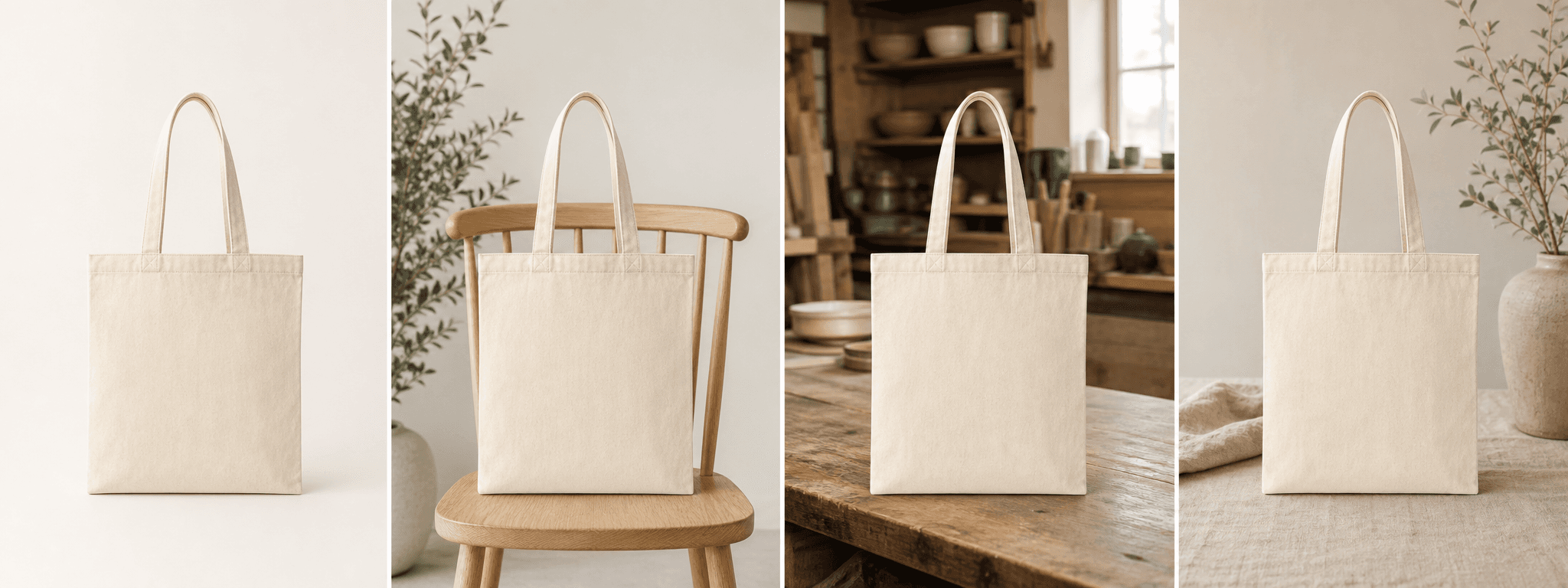
A consistent scene family
Create visual variety without changing the brand palette, product identity, or overall art direction.
For small brands and ecommerce teams
Turn one real item photo into four consistent lifestyle scenes for feed posts, carousels, launches, ads, and creator briefs.
Direct answer
Instagram product photography works best when the item is instantly recognizable, the composition has one clear focus, and the scenes share a consistent palette and lighting style. ShopPhoto AI creates four complementary directions from one real product photo.
The output is a set of still images rather than a publishing or video tool. Compare every scene with the source, preserve truthful product details, then prepare the final crop and caption for the placement you plan to use.
Create visual variety without changing the brand palette, product identity, or overall art direction.
Move from clean introduction to lifestyle, detail, and gift context across a single product story.
Review four watermarked scenes at full size before paying for any high-resolution files.
A useful image system
Use the generated set as a flexible visual library rather than repeating one hero crop everywhere.
Lead with a clear product view, then add context, material detail, packaging, or gifting in later frames.
Test several accurate scene directions while keeping the offer, message, and product consistent.
Communicate the intended setting, light, and mood before a creator or team produces more content.
Source photo checklist
The better the reference, the easier it is to preserve the item across several social placements.
ShopPhoto AI is independent from Instagram and Meta. It creates downloadable still images and does not publish posts, create Reels, or guarantee advertising approval.
No prompt writing required
Choose one clear photo of the real product.
We create four distinct product scenes around it.
Inspect every preview and pay only if the set works.
Clear answers
Review accuracy, source photo, licensing, platform, and pricing details before you begin.
Start with a high-resolution source and preserve crop-safe space. Choose the final square, portrait, or landscape crop based on the exact placement and current platform guidance.
It creates four complementary still images that can form the visual basis of a carousel. You arrange the order, add verified copy, and publish through your own account.
Not directly. The current workflow produces still product images. You can crop or animate accurate outputs later in a separate editing tool.
Four watermarked previews are free to review. Unlock all four high-resolution commercial-use files for a one-time $4.99 payment.
Keep exploring
See the result first
Upload one real item photo and build a cohesive scene family before your next launch or post.
Create four free previews