Mobile-first content guide · reviewed August 5, 2026
Instagram product photography with a recognizable point of view.
Create a consistent visual system that keeps the real product clear across posts, carousels, and static ads.
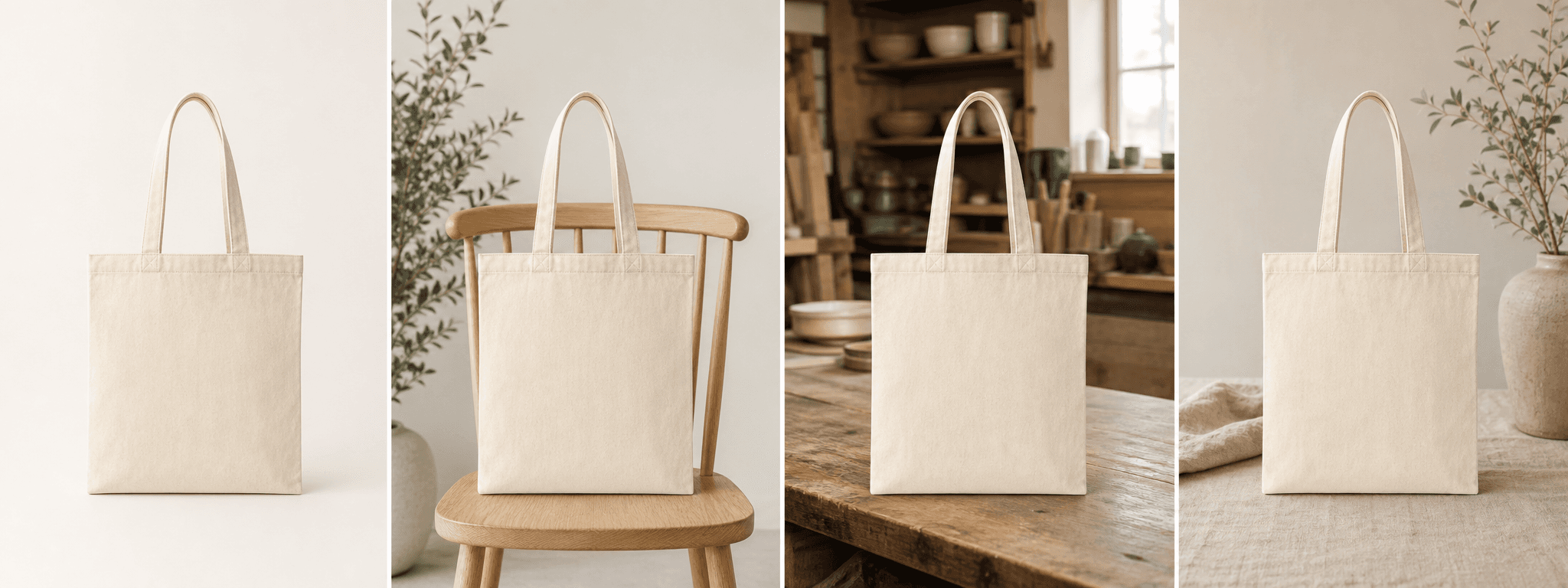
Quick answer
What makes an Instagram product photo work?
A strong Instagram product photo has one obvious subject, enough contrast to read on a phone, and a composition that still works after the interface and crop are applied. The setting supports the product instead of competing with it.
Consistency matters across the set: repeat the palette, light direction, surface language, and editing treatment while varying angle, scale, detail, and context. This creates recognition without making every post identical.
Platform rules and interfaces can change. Use the linked primary sources as the final authority, then test the result in the marketplace or storefront you actually use.
Build recognition
Define a scene system before creating individual posts.
Choose a small palette, one or two surface families, a consistent light quality, and a repeatable crop style. Treat these as constraints that make content faster to produce and easier to recognize.
Keep the product color and material truthful. A warm brand palette should come from the surroundings and grade, not from changing the item a customer expects to receive.
- One clear hero subject
- Repeatable light, palette, and surface language
- Enough negative space for alternate crops
- Accurate color, shape, label, and included parts
Sequence the story
Use a carousel to move from clarity to context.
Lead with the strongest product identification frame. Follow with use context, material detail, scale, packaging, or a meaningful comparison. Each swipe should answer a new question.
Avoid filling every frame with text. When copy is necessary, keep it factual, readable, and separate from critical product details.
- Frame 1: instantly recognizable product hero
- Frame 2: lifestyle or use context
- Frame 3: material, feature, or construction detail
- Frame 4: packaging, gifting, or scale where relevant
Create for the placement
Test crops and variations instead of guessing.
Meta supports several static-image formats across Instagram placements. Keep a high-resolution master with safe space, then prepare the final crop for the exact feed or ad placement you plan to use.
For paid tests, change one major creative variable at a time—such as background, angle, or context—while keeping the product and offer consistent. This produces a clearer learning signal.
Always preview the final asset on a phone and recheck current placement specifications before launch.
Before you publish
Instagram product photography checklist
Use this before exporting a post, carousel, or static ad.
- The product is the first thing a viewer notices.
- The scene matches the brand without altering the real item.
- The crop keeps important edges, labels, and details visible.
- Carousel frames add new information rather than repeating one view.
- The file is sharp and the final composition was checked on mobile.
- Any AI-assisted image was compared with the original product.
Primary references