Protect vessel and label details
Use the uploaded candle as the visual reference for glass color, lid, label placement, wax, and proportions.
For candle makers and home fragrance brands
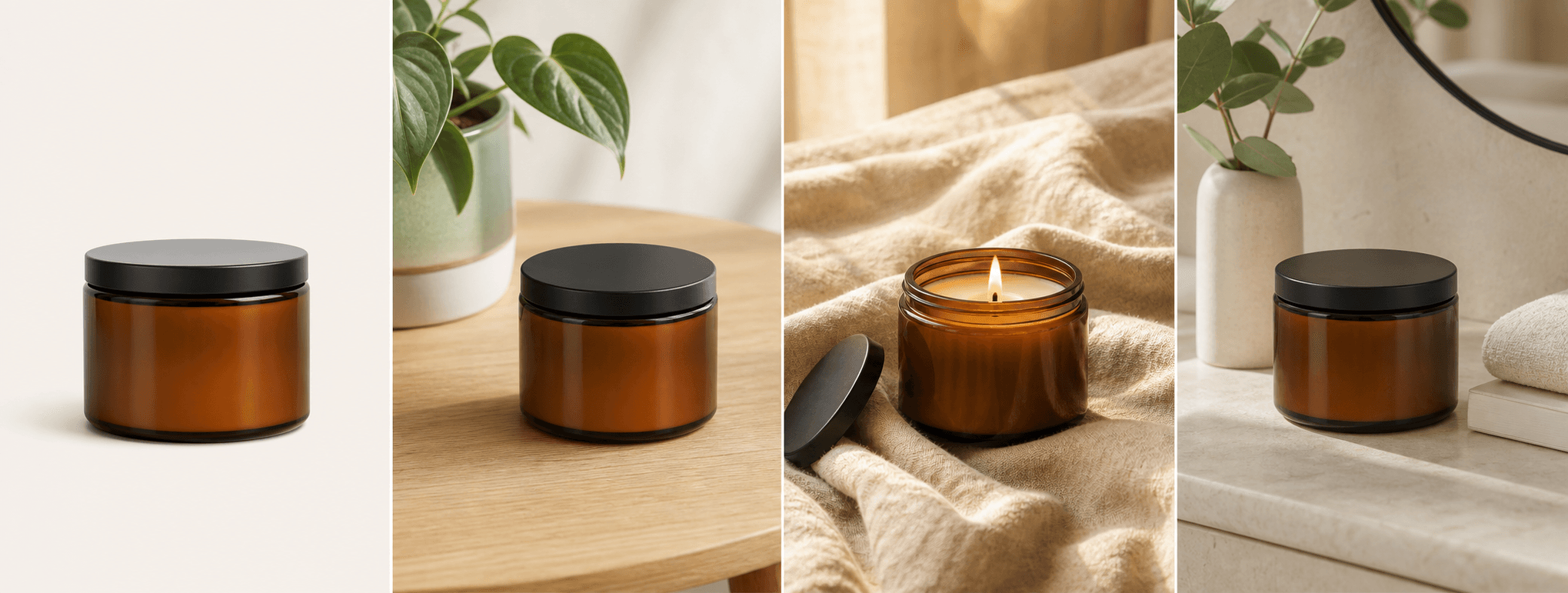
Turn one candle photo into four warm commercial scenes while keeping the vessel and label recognizable.
Direct answer
Candle product photography has two jobs: show the exact vessel, wax, label, and finish, then communicate the mood the fragrance belongs in. A plain pack shot proves what the customer receives; lifestyle scenes help them imagine the ritual around it.
ShopPhoto AI builds four scene directions from one real candle image. The result can give a small brand more visual options for product listings, launch posts, gift guides, and seasonal campaigns without rebuilding the physical set.
Use the uploaded candle as the visual reference for glass color, lid, label placement, wax, and proportions.
Explore soft window light, amber glow, quiet surfaces, and natural props that support the product.
Generate a flexible set for launches and gifting without buying a new prop collection for every scent.
A useful image system
Give each image a clear role instead of repeating the same candle crop across your store.
Use a calm surface and generous negative space to keep the vessel, label, and silhouette easy to scan.
Suggest warmth, freshness, calm, or seasonality through light and surroundings without inventing product claims.
Show the candle in a considered unboxing or gifting scene for holiday collections and bundles.
Source photo checklist
A readable source image helps the generator preserve the details customers use to recognize your candle.
Generated candle scenes are visual marketing assets, not evidence for burn time, scent strength, ingredients, safety, or other product claims. Keep factual claims grounded in your real product data.
No prompt writing required
Choose one clear photo of the real product.
We create four distinct product scenes around it.
Inspect every preview and pay only if the set works.
Clear answers
Review accuracy, source photo, licensing, platform, and pricing details before you begin.
Neutral wood, stone, linen, and quiet home surfaces usually keep the candle readable while adding warmth. The best background supports the vessel color and label instead of competing with them.
ShopPhoto AI is designed to retain visible label placement and text as closely as possible, but generative images can introduce errors. Use a sharp source photo and inspect every letter and logo before publishing.
A clear unlit candle is usually the most reliable source because the vessel, wick, and label are easier to read. Generated scenes can still suggest a warm atmosphere around the product.
Purchased images include commercial use for ecommerce, social media, and advertising. You are still responsible for platform rules and for accurately representing the physical candle customers receive.
You can review four watermarked previews for free. Unlocking all four high-resolution images costs $4.99 as a one-time purchase with no subscription.
Keep exploring
See the result first
Upload one clear candle photo and review four warm, watermarked previews before you pay.
Create four free previews