Lean ecommerce workflow · reviewed August 5, 2026
Product photography for a small business with limited time.
Create a minimum trustworthy image set, batch the work, and reuse every accurate asset across the customer journey.
Quick answer
What product photos does a small business need first?
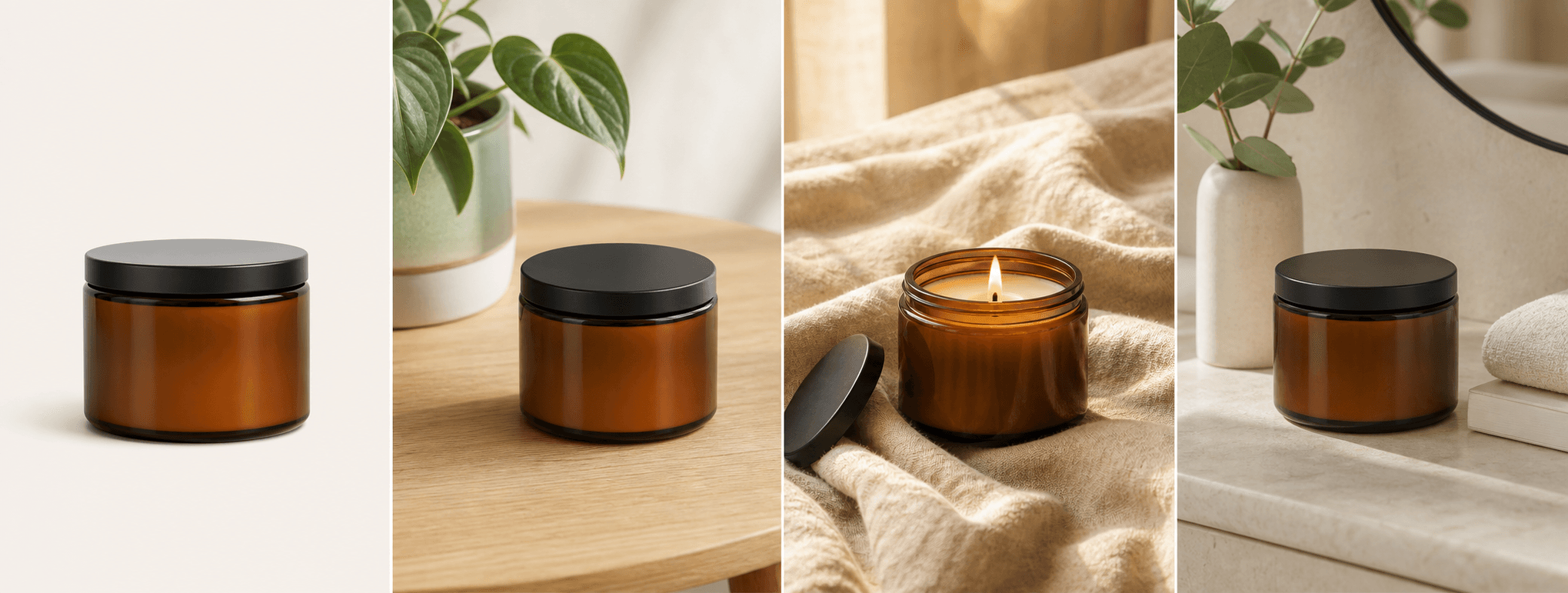
Start with the minimum set that makes the product understandable and trustworthy: a clear hero, alternate angle, important detail, scale or use context, and packaging or included contents. Capture additional images only when they answer a real buyer question or support a specific campaign.
Build one repeatable setup and photograph products in batches. Keep accurate master files, export channel-specific versions, and use carefully reviewed AI scenes only to extend—not replace—the factual evidence buyers need.
Platform rules and interfaces can change. Use the linked primary sources as the final authority, then test the result in the marketplace or storefront you actually use.
Prioritize trust
Capture the minimum complete product story.
A small catalog does not need dozens of decorative images. It needs enough evidence for a customer to understand shape, color, material, size, construction, packaging, and use. Map one image role to each important question.
Keep the main product image simple and factual. Add lifestyle context only after the buyer can clearly identify what is sold.
- Clear front or three-quarter hero
- Alternate side, back, interior, or open view
- Material, closure, label, or craftsmanship detail
- Scale, use context, packaging, or included contents
Protect production time
Batch by setup, not by product page.
Prepare and clean all products first. Photograph every hero in one setup, then every alternate angle, then details and packaging. This reduces light changes, camera movement, and repeated cleanup.
Use a naming pattern that connects product, color, view, and version. Back up high-resolution masters before exporting storefront, marketplace, email, and social variants.
- Prep and clean the full batch
- Lock camera, light, white balance, and product marks
- Capture one image role across all products
- Name, review, back up, then export
Make each asset work harder
Plan reuse before creating extra content.
A sharp product master can support the store, marketplace, email, press kit, ads, and social crops. A strong lifestyle scene can support a landing page, campaign, or creator brief. Track the source, rights, edits, and channels for every approved asset.
Measure useful outcomes such as product-page engagement, add-to-cart rate, ad response, and support questions. Create the next image to solve an observed problem rather than to fill a calendar.
The most efficient image is an accurate asset created for a clear job and reused without losing context.
Before you publish
Small business product photography checklist
Use this to keep a lean production day on track.
- Every planned image answers a buyer or channel question.
- The hero, alternate view, detail, context, and packaging needs are covered.
- Products, surface, lens, and background are clean.
- Camera, light, product marks, and white balance are repeatable.
- Masters are backed up and exports use a consistent naming system.
- AI-assisted scenes are compared with the actual product before use.
Primary references