Tactile natural light
Use warm window light and simple surfaces to reveal glaze and handmade texture.
For potters and homeware makers
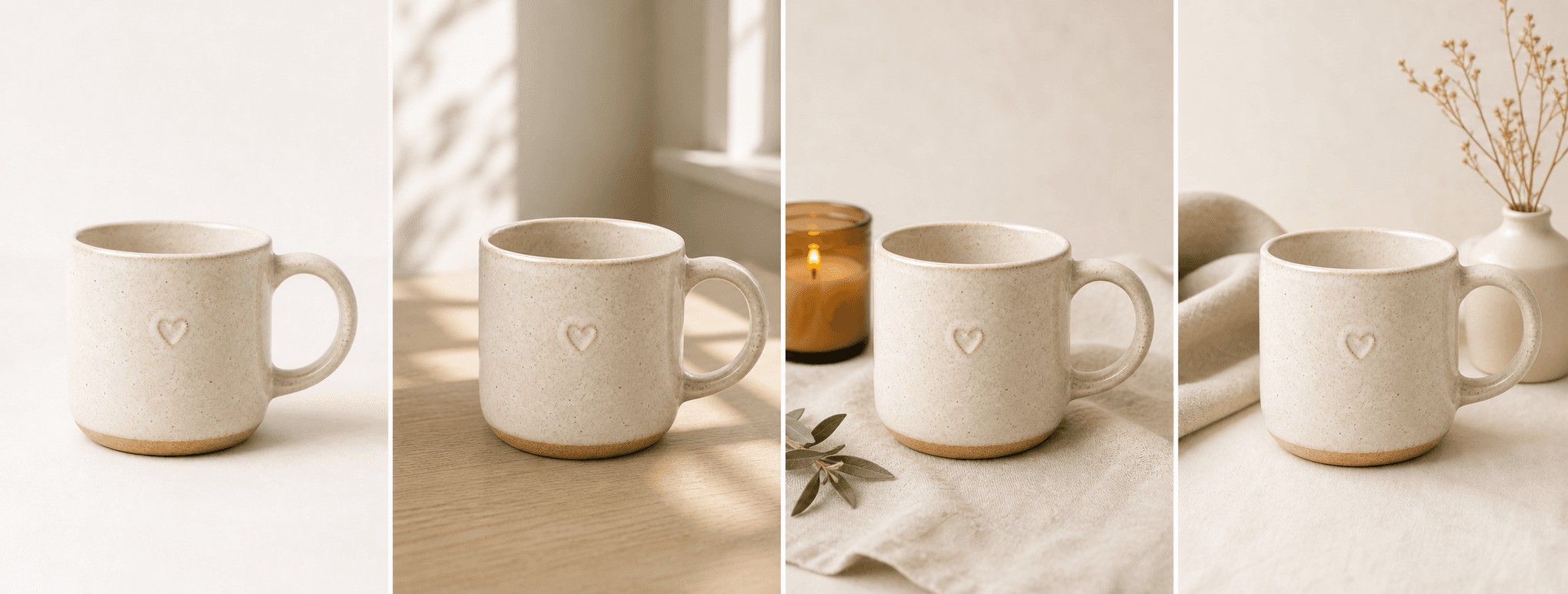
Create four tactile scenes for mugs, vessels, and pottery while protecting visible glaze, form, handle, edge, and handmade character.
Direct answer
Ceramic photography needs light that reveals form, glaze, texture, edge thickness, handles, feet, and small handmade variations without flattening the piece. Props should support the material rather than make the product difficult to inspect.
ShopPhoto AI creates four natural scenes from one real ceramic image. Generated scenes can support a listing, but real photos should still document scale, base marks, interior, functional details, and the exact variation buyers will receive.
Use warm window light and simple surfaces to reveal glaze and handmade texture.
Keep the silhouette, handle, rim, foot, and visible decoration available for inspection.
Create considered scenes for collections, homeware listings, and gifting moments.
A useful image system
Combine generated atmosphere with factual real views of the specific ceramic item.
Keep form, glaze, handle, rim, and decorative marks easy to recognize.
Suggest how the piece belongs in a kitchen, desk, shelf, or quiet ritual.
Use tactile surfaces and packaging context without hiding handmade details.
Source photo checklist
A ceramic source photo should reveal the contours and surface details buyers care about.
Generated images cannot document food safety, dimensions, capacity, durability, or one-of-a-kind variation. Use verified specifications and real item photos for those details.
No prompt writing required
Choose one clear photo of the real product.
We create four distinct product scenes around it.
Inspect every preview and pay only if the set works.
Clear answers
Review accuracy, source photo, licensing, platform, and pricing details before you begin.
Use soft side light and show the complete ceramic piece, including handle, rim, foot, lid, opening, glaze, decoration, and surface variation. Keep the background simple and the edges unobstructed.
Check silhouette, handle attachment, rim thickness, foot, lid fit, decoration, glaze pattern, texture, relief, chips, and maker marks. Use real images for dimensions and one-of-a-kind variation.
Use caution. Small glaze and shape differences may be commercially important. Real photos of the exact piece should remain the primary record when every item is unique.
Do not use generation to invent unseen functional details. Publish real interior, foot, base-mark, lid, and capacity images when shoppers need them.
Yes. Unlocked images include commercial use for product listings, stores, ads, email, and social posts. You remain responsible for accurate product representation and channel-specific rules.
No. Generate four watermarked previews for free, then pay $4.99 once only if you want to unlock the complete high-resolution set.
Keep exploring
See the result first
Upload one clear pottery image and inspect glaze, form, and decoration before unlocking it.
Create four free previews