Edit the scene, not the product story
Use the real item as the visual reference and review every edge, color, logo, label, and material before publishing.
Ecommerce photo editing without manual layers
Create four polished product scenes, inspect the product details, and unlock the complete set only when the results are worth using.
Direct answer
An AI product photo editor uses a real product image as the reference, then changes the lighting, surface, surroundings, or presentation to create additional ecommerce visuals. It can shorten the path from a basic source photo to a more complete product gallery.
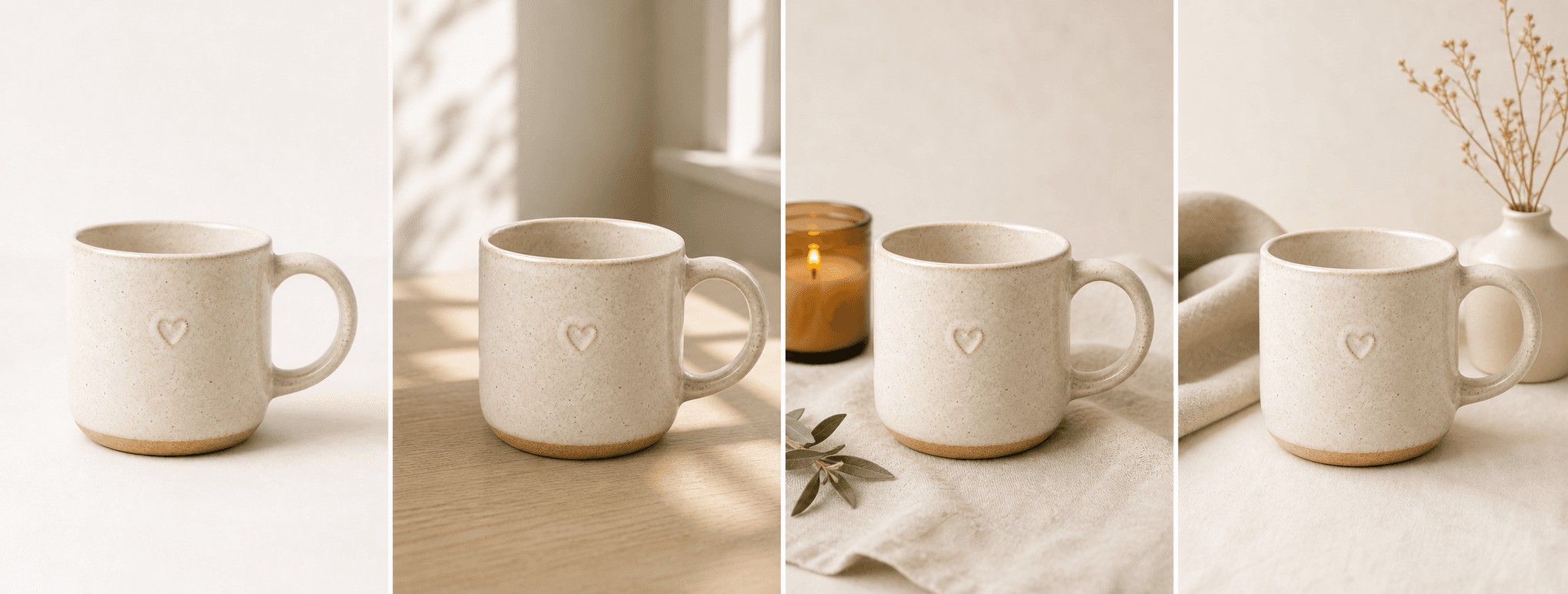
ShopPhoto AI focuses on scene creation rather than pixel-level retouching. It generates four watermarked previews—a clean studio direction, natural lifestyle scene, detail-led composition, and gift-ready presentation—so you can compare the output with the original before paying.
Use the real item as the visual reference and review every edge, color, logo, label, and material before publishing.
Build a compact image set for a product page, marketplace listing, campaign, or social post from one upload.
See the watermarked results first, then unlock all four high-resolution files for one $4.99 payment.
A useful image system
A useful edit should add context or clarity—not hide the factual product the customer will receive.
Add supporting scenes around a clear real-product hero so the gallery explains context, finish, and gifting potential.
Test natural, seasonal, or detail-led directions without manually masking the item into several stock backgrounds.
Repeat the same four-scene workflow across products while checking that each result still matches its source.
Source photo checklist
Clear product evidence makes generated edits easier to evaluate and safer to use commercially.
ShopPhoto AI is a generative scene editor, not a deterministic retouching or background-removal tool. Generated output can contain inaccuracies; only publish images that truthfully represent the item you sell.
No prompt writing required
Choose one clear photo of the real product.
We create four distinct product scenes around it.
Inspect every preview and pay only if the set works.
Clear answers
Review accuracy, source photo, licensing, platform, and pricing details before you begin.
No. It creates complete new scenes around the uploaded product. It does not currently return a transparent cutout or provide manual masking tools.
Yes. The current ShopPhoto AI workflow is prompt-free. One upload creates four predefined scene directions automatically.
The source image is used as the product reference, but generative output can still change small text, logos, reflections, or construction details. Inspect every preview before commercial use.
Unlocked images include commercial use, but every marketplace has its own image and truthful-representation rules. Keep real product photos and verify the current requirements for the channel you use.
Four watermarked previews are free to review. Unlocking the complete high-resolution set costs $4.99 once, with no subscription.
Keep exploring
See the result first
Upload a clear source image, review the complete preview set, and pay only when the result is useful.
Create four free previews